
September Update: CRMs: What they are, how to choose one, and how to know if you should switch
CRMs: What they are, how to choose one, and how to know if you should switch?
- What is a CRM, and why should you have one?
- How do you choose the right CRM?
- I have a CRM, but I'm frustrated with it. Should I switch?
- This feels overwhelming. How can LifeX help?
How Is Your Business Approaching The AI Revolution?
Welcome to this month's update! Here's what you'll find in this update (click a section to go directly there):
CRMs: What they are, how to choose one, and how to know if you should switch
Thanks to Phil Beiler & Tom Choy for writing this article!
What is a CRM, and why should you have one?
A customer relationship management (CRM) system is a tool bridging the gap between customer information and the sales processes you’ve developed to serve them.
From basic to robust, CRMs can help you reduce human error in your communications, automate repeatable tasks, and help your sales team manage timely follow-ups with your customers.
Some of the top functions & reasons to use a CRM are:
- Contact management: CRMs provide a centralized hub for storing customer data, tracking conversations, and recording purchase history.
- Team collaboration: improve collaboration among team members as they serve their clients.
- Automations: automate routine tasks and workflows such as follow-up emails and text messages, marketing processes, and email nurture campaigns.
- Sales management: CRMs are powerful tools for managing sales pipelines.
- Customer service: CRMs streamline the process of delivering quality customer service by providing a centralized platform for collecting customer feedback, addressing concerns, and resolving questions. With all customer transactions and touchpoints recorded in one place, your CRM makes it easier for any team member to respond to a customer's question regarding a previous transaction or concern.
- Boost sales: most businesses that fully adopt a CRM and use it to its full potential experience an increase of 41% in sales revenue.
How do you choose the right CRM?
With dozens of popular CRMs to choose from, selecting one can be a daunting task. To help this process, we have a list of 6 steps below to work through.
(Also, we apologize in advance, but as soon as you start Googling terms like “best CRM for small businesses,” your online ads will light up with CRM ads.) 🙄
Go slow and take your time through the 6 steps. If your company doesn’t have a CRM, it may take longer than if you’re already successfully using a CRM and are considering making a change.
Also, be curious and get input from everyone involved. The more you involve your team in steps 1-3, the more buy-in you’ll get from them and the more likely they’ll be to ride out the inevitable bumps that come with implementing a new CRM, rather than giving up in frustration.
- Start the CRM selection process by closely analyzing your existing system and identifying what’s working and not working for you. What frustrations are your team experiencing? What features would be nice to have? Do you want to run email marketing campaigns?
- After you have thoroughly analyzed your existing system and processes, visualize your ideal features, automations, and sales process, and map them into a spreadsheet or document. Include any changes you would like to make to your processes.
- Create a list of all the features, integrations, and capabilities you want in your CRM and rate each one accordingly. Identify the features that are non-negotiable and the features that would be nice to have but are ones you could do without.
- Now you are ready to start researching CRM options. Since you’re coming into this step with a clear picture of what you want and what is non-negotiable, CRM options will quickly qualify or disqualify themselves. In this step, you are doing high-level research only.
- When you have two or three options that appear to be serious candidates, take a closer look at each one. Many CRMs have recorded demos on YouTube that allow you to get a look inside them without having to sign up for an account. Browse online forums to see what other people are experiencing with the CRM you’re considering. If you know someone who uses one of the options you’re considering, ask them what they like and dislike about it, specifically that particular CRM. Every business has different needs and goals, so just because you know someone who doesn’t like the option you’re considering doesn’t mean it shouldn’t be an option for you. Either way, take other users' experiences seriously.
- By this point, you’re likely down to only one or two CRM candidates, and it’s time to schedule a free demo or sales call. If you don’t know anyone who’s using an option you’re considering, ask the sales rep to give you several referrals you can contact who use the CRM you’re considering.
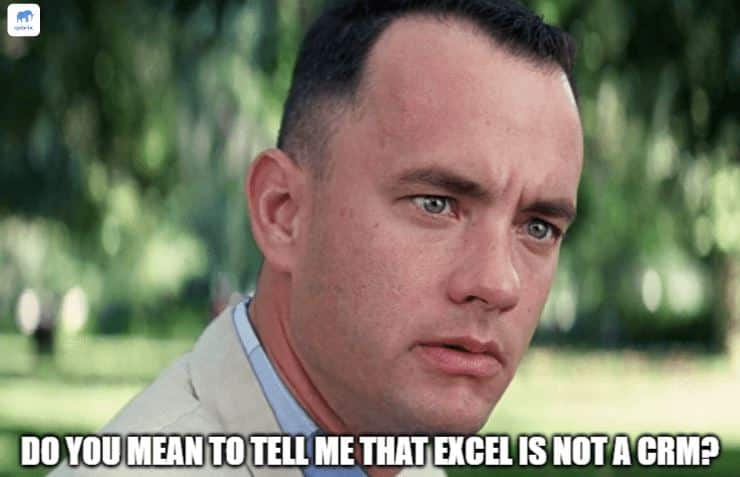
Credit to Qobrix for the following image:
I have a CRM, but I'm frustrated with it. Should I switch?
Like all good answers, this one starts with 2 words: "That depends." 😃
A survey found that only 37% of small businesses are "very satisfied" with their CRM. While a fully implemented CRM can boost your revenue by hundreds of thousands of dollars in the long run, implementing a new CRM can be a significant investment of time, resources, and commitment.
In 2023, Zoominfo found that implementing a new CRM costs companies with fewer than 100 employees anywhere from $3,000 to $20,000.
Outside of the cost, there’s also the transitional period, where you’ll likely receive pushback from some of your team at specific points. It’s natural for your team to feel some frustration, even with buy-in. After all, change is challenging, but once the team gets the hang of it, they’ll wonder how they ever managed without it.
Before you switch, ask yourself these 6 questions:
1 - Are we using our current system to its full potential?
Are there existing features in your current CRM or spreadsheet process that your team could benefit from using? If your team isn’t using the available features now, they won’t likely use them when you roll out the new CRM. If your team isn’t already following up with any of your prospects promptly after they send out a proposal, then a well-structured sales pipeline likely won’t make them start following up. Alternatively, if your sales team is having trouble keeping track of which prospects to follow up with, then a sales pipeline can help them lessen their mental load and be consistent.
2 - Is your team actually using the features already available in your current system or CRM?
43% of CRM customers are using less than half of the features available to them in their CRM. If your existing system has a feature you want or need and you’re not using it now, you probably won’t magically start using it with a new CRM.
3 - What does my team need to serve our customers well?
Before you sign up for that slick new CRM you just saw in an ad, launch a listening campaign and ask your team what they need. Your perception of their needs may be different from what they actually need. When they tell you what they need, be curious about what they say to ensure you fully understand their requirements.
4 - What does my team need to serve our customers better?
When your team hands off a client or prospect from one team member to another, do they struggle to communicate the history and context of the client relationship? A CRM can help in that handoff process by providing a centralized communication channel and giving the new team member the ability to review all past transactions and communication with the client.
5 - Are there systems I’d like to integrate with that my current CRM does not natively support?
If a particular integration is critical for your business but is not supported in your current system, switching CRMs may be right for you. A rule of thumb is that data should be entered only once, if at all. If data needs be entered more than once, the process requires an update. If linking the CRM to my phone system or website forms means never having to enter basic client data, all the better!
6 - Is there a time of the year best suited for switching?
Depending on your industry or sales cycle, you may have certain times of the year when sales are slower and your team is (mostly) caught up. Switching CRMs can be a significant time investment and will initially cause more work for your team as they learn the new system. If there is a time of the year that’s slower for your business, wait until then to make the switch.
I’ve made my selection. Now what?
Many CRMs offer onboarding packages that include working with an implementation partner. They know that the faster a business implements a CRM, the more likely they are to use it long-term.
If the CRM you’ve selected offers an onboarding package, set yourself up for success by investing in it. Working with an implementation partner can help you navigate past the thrill of signing up for a new software tool that promises to solve “all” your problems and the inevitable wave of discouragement that hits roughly ten minutes after you’ve created your account. You find yourself mucking about through a new interface with data in it and nothing set up.
Your implementation partner can help you import your client data, set up your integrations, create the automations you need, and set up your email marketing campaigns. Eventually, you should become an expert in your CRM, but rely on their expertise to guide you through the initial implementation.
This feels overwhelming. How can LifeX help?
If sitting in front of a computer searching for a new CRM looks daunting to you and your team, then LifeX is here to help! We have several members with extensive CRM experience, and we would love to help your team and business succeed with a well-built CRM.
If you are a client of LifeX, please talk to your Account Manager, and they will work with you on going through the steps.
If you are not a client of LifeX, then please Contact Us, and we would be happy to discuss this further with you!
Article Resources:
- https://firmao.net/blog_net/crm/top-5-functions-in-crm-systems-for-companies#:~:text=In%20conclusion%2C%20a%20CRM%20system,targeted%20services%20to%20their%20customers.
- https://www.vtiger.com/blog/crm-functions-and-features/#:~:text=Why%20do%20Businesses%20need%20a,ups%20and%20running%20email%20campaigns.
- https://www.ibisworld.com/united-states/number-of-businesses/crm-system-providers/4592/#:~:text=There%20is%201%2C535%20CRM%20System,increase%20of%2011.0%25%20from%202023.
- https://www.demandsage.com/crm-statistics/#:~:text=The%20CRM%20market%20has%20grown,revenue%20in%20the%20CRM%20market.
- https://crmswitch.com/buying-crm/reasons-companies-switch-crms/
How Is Your Business Approaching The AI Revolution?
*Thanks to Seth Godin's blog for this perspective on AI and how we approach the AI revolution.
Since I was born, humans have created 6 billion jobs.
All while technology relentlessly disrupts existing industries.
The pin making machine replaced the hand-crafted pin.
The ox-pulled plow replaced millions of hours of backbreaking work.
The amplification and electronic distribution of music upended the work of the live musician, and the camera replaced countless portrait artists.
The internet destroyed the travel agent industry, and Grammarly and Photoshop turned fine editing jobs into low-paid gig work.
[Other examples: Skilled typesetters, trained in working by hand, were angry at desktop publishing, and the digital distribution of music and books ended the future of many traditional retailers. The assembly line replaced skilled craftsmen who built entire products by hand. The calculator made human computers – people hired to perform mathematical calculations – obsolete overnight. The automobile industry wiped out blacksmiths, stable hands, and carriage makers. Email and word processors replaced secretaries who specialized in dictation and typing. GPS navigation systems eliminated the need for most mapmakers and drastically reduced demand for physical atlases. Digital photography destroyed the film development industry and put countless photo lab technicians out of work.]
When the web arrived, many of the projects I had built as a book packager–some at great cost–became obsolete. It didn’t seem to me that I could do much about this, though. Arguing that I was entitled to have people buy the Information Please Business Almanac instead of looking stuff up online wasn’t going to work.
It’s entirely possible that a magical AI will replace every single human job and then destroy the Earth. But it’s far more likely that the pattern of the last five hundred years will continue.
If this transformation was an opportunity, what would you do with it?
Meet Steph - Graphic Designer

When we need graphics whipped up for websites, blogs, catalogs, or billboards, we rely on Steph’s creativity to make it happen. Her talent for visualizing ideas brings color and flair to the work we do at LifeX.
Steph isn't one for standing still. She loves being active in the summer. Running, pickleball, and ultimate frisbee makes her happy. She also enjoys hiking, where her most challenging hike has been a the high altitude and gradient of an active volcano in Guatemala.
When she’s not designing graphics, enjoying the sun or conquering volcanoes, Steph enjoys travelling, a good spicy dish, listening to audiobooks, savoring a hot mug of coffee, and spending time with her nieces and nephews.
Monthly Meme
I still can't figure out if the reviewer blames himself or the company for the fire 😀

How Can We Pray For You Or Rejoice With You?
Thank you to those who provide prayer requests - our team appreciates the opportunity to bring your requests to God in prayer in our Monday morning meetings and throughout the week.
It's part of our mission at LifeX Marketing: Multiplying wholeness in the lives of our team, clients, and communities by living like Jesus.
If you have a way we can pray with your team or rejoice with you, please leave it here.
Thoughts or Comments?
We always love hearing from people; please leave your comment or feedback below!
"*" indicates required fields